
Blackboard AI test writer for students
The Blackboard test writer reads every multiple-choice and written-response question on your Blackboard test and fills the answers in seconds, activated by one keystroke, right in Chrome.
Add to Chrome, free★★★★★5.0 · 132+ active users

★★★★★“Very useful and accurate”Ahmed Said//
★★★★★“Super easy to use, no more worrying about tests.”Jordan MacLean//
★★★★★“Tried it on a few multiple-choice tests, and it got almost every question right.”Conner Goossens//
 Blackboard
[ 01 ]Watch it work
Watch the Blackboard test writer answer a real test
A screen recording of the extension answering a real Blackboard test, start to finish.
[ 02 ]Live on real course content
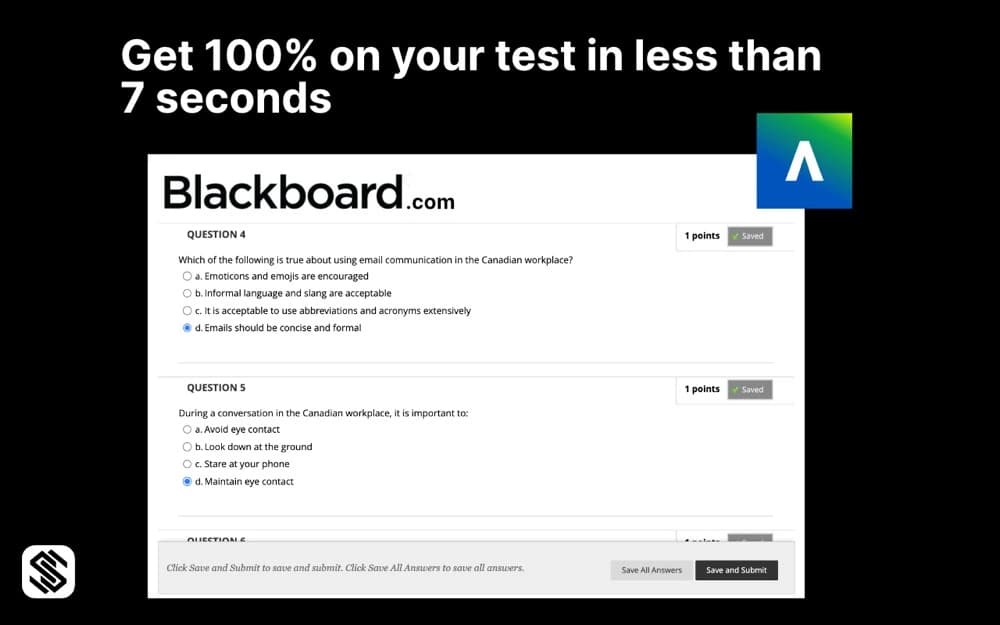
It fills in your Blackboard quiz answers
- Multiple choice: the correct option is selected for you, no guessing.
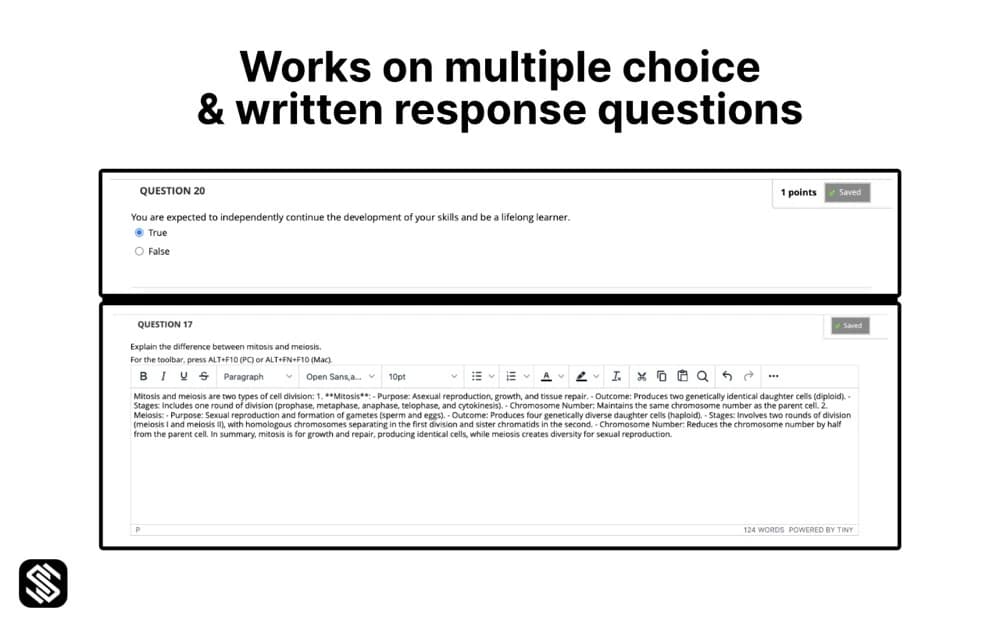
- Written response: a full answer typed straight into the Blackboard editor.
- Every question at once: one keystroke fills the whole page.
[ 03 ]Written answers
Long-form answers, typed in full
Short-answer and essay prompts get a complete written response, not a placeholder.
[ 04 ]Compatibility
Which Blackboard does it run on?
// Supported interface
Works on Blackboard Ultra and Learn Original
Both current experiences: the newer Ultra course view and the classic Learn Original test screen, which reaches end of life in December 2026.
[ 05 ]Blackboard FAQ
Blackboard AI test writer FAQ
Which Blackboard interface does Silent Solver work on?
Both. It works on the newer Blackboard Ultra experience and the classic Learn Original test screen. Learn Original reaches end of life in December 2026, so if your school is moving to Ultra you're already covered.
What kinds of questions can it answer?
Multiple-choice questions and written-response (short answer / essay) questions. On multiple choice it selects the correct radio option; on written response it types an answer straight into the editor.
How do I run it during a test?
Open your Blackboard test, click the Silent Solver icon and press Activate, or use the shortcut Ctrl + Shift + S (⌘ + Shift + S on Mac). It reads every question on the page and fills them in.
Is it accurate?
It's powered by a current AI model and performs strongly on standard course material, but no AI is perfect. Always review before you submit, you stay in control of Save and Submit.
Does it work on a locked-down browser or proctored exam?
No. Silent Solver is a standard Chrome extension for open Blackboard quizzes and practice tests. It does not run inside lockdown browsers or proctoring environments, and we don't recommend using it where your institution prohibits assistance.
Install steps: how to use. Permissions and privacy: how it works.
// Install
Put Silent Solver on your Blackboard test
Free on your first 3 questions. $10/month for unlimited. No account needed.
Add to Chrome